I built remote-terminal because I was tired of being tethered to my desk. Whether I’m on my phone waiting for a deploy, on my iPad at a coffee shop, or just away from my main machine — I wanted full access to my terminal without VPNs, port forwarding, or complex setup.
Table of contents
Open Table of contents
The Problem
As developers, we’ve all been there:
- You’re out and need to check if a process is still running
- A deploy fails and you need to SSH in to investigate
- You want to run a quick git command but you’re on your phone
- You need to restart a service but you’re away from your laptop
The existing solutions are either too complex (setting up VPNs, exposing ports) or too limited (basic SSH apps that are painful on mobile).
The Solution: remote-terminal
remote-terminal is an open-source CLI tool that gives you three ways to access your terminal:
- Web Terminal — Full terminal in your browser, secured with Tailscale
- Telegram Bot — Run commands directly from Telegram chat
- LLM Mode — Natural language commands powered by AI
All secured through Tailscale’s zero-trust network — no exposed ports, no complex firewall rules.
How It Works
1. Web Terminal
Access a full xterm.js terminal from any browser. It’s like SSH, but through a web interface that works great on tablets and even phones in a pinch.
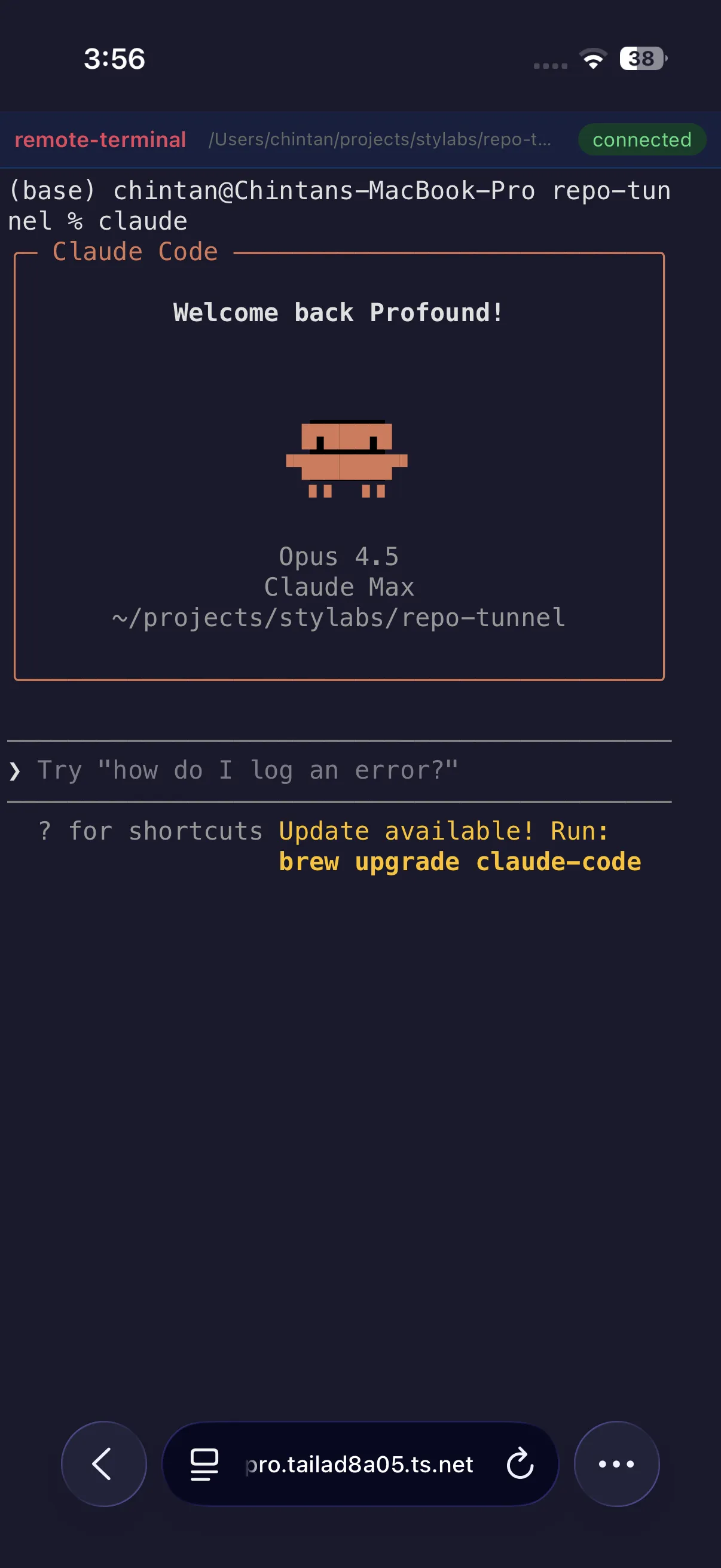
The web terminal supports:
- Full ANSI color support
- Copy/paste
- Resize handling
- Persistent sessions
2. Telegram Bot
This is where it gets interesting. Connect a Telegram bot to your terminal and run commands directly from chat.
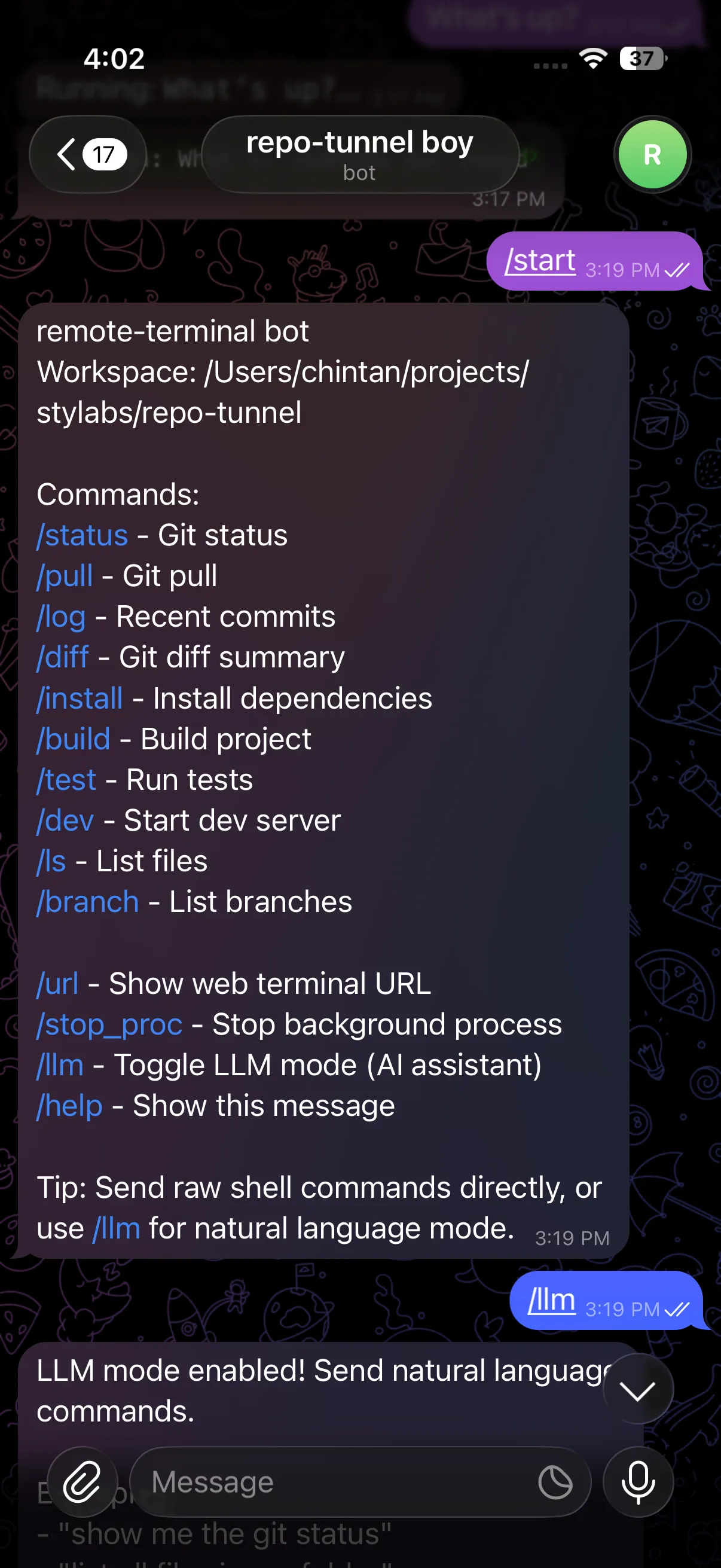
Available commands include:
/status— Git status/pull— Git pull/log— Recent commits/build— Build project/dev— Start dev server- Or just send any raw shell command
3. LLM Mode — The Game Changer
Here’s what makes remote-terminal different. Toggle /llm mode and suddenly you can talk to your terminal in plain English:
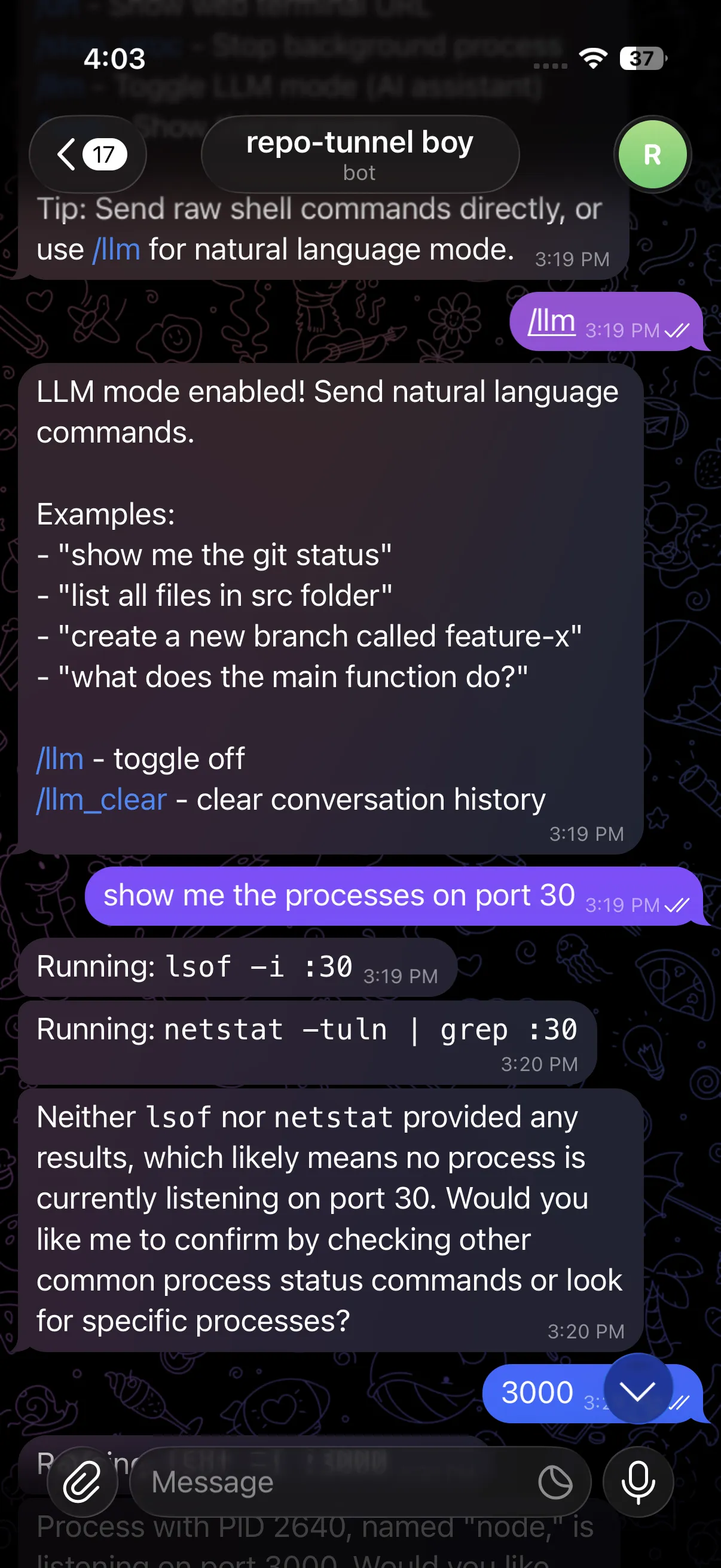
Instead of remembering exact commands, just ask:
- “show me the processes on port 3000”
- “how much RAM is node using?”
- “what’s the git status?”
- “create a new branch called feature-auth”
The LLM translates your intent into the right commands, executes them, and explains the results. It’s like having a terminal assistant in your pocket.
Security with Tailscale
Everything runs through Tailscale’s mesh VPN:
- No exposed ports — Your terminal isn’t accessible from the public internet
- Zero-trust — Only devices on your Tailnet can connect
- End-to-end encrypted — Traffic is encrypted between your devices
- Works anywhere — Tailscale punches through NATs and firewalls
Quick Start
# Install
npm install -g remote-terminal

# Set up environment
export TAILSCALE_HOSTNAME="your-machine.tailnet-name.ts.net"
export TELEGRAM_BOT_TOKEN="your-bot-token"  # Optional
export OPENAI_API_KEY="your-key"  # Optional, for LLM mode

# Run
remote-terminal
That’s it. Your terminal is now accessible from:
https://your-machine.tailnet-name.ts.net(web)- Your Telegram bot (if configured)
Use Cases
On-call debugging: Get paged at 2am? Check logs and restart services from your phone without getting out of bed.
Coffee shop coding: Left your laptop at home but have your iPad? Full terminal access through the browser.
Quick checks: Waiting in line? Check if your deploy succeeded via Telegram.
Teaching/Demos: Show your terminal to others through a secure web link.
AI-assisted ops: Not sure of the exact command? Just describe what you want in LLM mode.
Open Source
remote-terminal is fully open source. Check it out:
- Website: remote-terminal.top
- GitHub: github.com/anthropics/remote-terminal
Contributions welcome — whether it’s new features, bug fixes, or documentation improvements.
What’s Next
I’m actively working on:
- Session persistence — Resume where you left off
- Multi-workspace support — Manage multiple machines
- Slash commands — Quick actions for common tasks
- Mobile app — Native iOS/Android experience
If you try it out, I’d love to hear your feedback. Drop me a message or open an issue on GitHub.
remote-terminal is built with Node.js, xterm.js, Tailscale, and love for the command line.